



- Product Describe
-
TL127-20C model
Pavement Material Strength Testing Instrument
Instruction Manual
I. Purpose and Features of the Instrument:
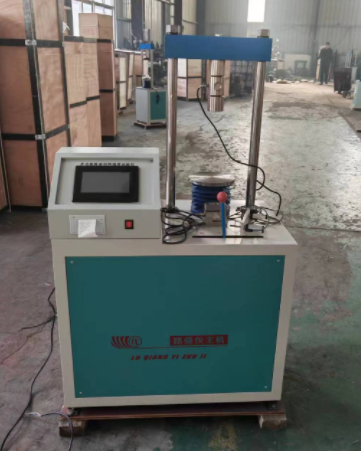
The main unit of the pavement material strength testing instrument (dual-speed) is an improved design based on the original single-speed main unit of the pavement material strength testing instrument. This instrument is a multifunctional device for testing highway subgrade and pavement materials. With the aid of its accessories, it can be used to determine the unconfined compressive strength of various soil specimens, the indirect tensile strength (splitting test), the California Bearing Ratio (CBR) test (including measurement of swelling under water immersion), as well as the thermal stability and resistance to plastic flow of asphalt mixtures—specifically, the stability and flow value (Marshall test)—and many other tests that require the application of vertical loads.II. Main specification parameters of the pavement material strength testing instrument:
1. Maximum rated load of the instrument: 200 kN
2. Maximum travel distance of the lead screw disc: 125mm
3. Motor specifications: 380V, 370W, 1400 rpm
4. Instrument maneuvering speed:a fast 50 mm/min
b Slow speed 1 mm/min
5. Instrument manual speed: 1/6 mm/revolution
III. Main Structure of the Pavement Material Strength Testing Instrument:
This instrument features a two-column structure: it consists of an outer casing, a gearbox, vertical columns, a flat platform, a television, electrical switches, and other components.The electric motor (380V, 370W, 1400 rpm) transmits power to the gearbox via a belt. The gearbox, equipped with a complete set of gear-changing and selection mechanisms, enables the lead screw disc to achieve two different motor-driven lifting speeds, thereby meeting the requirements of the Marshall test and the bearing ratio test. To ensure the maximum lifting distance of the lead screw disc meets experimental needs, the instrument is fitted with a manually operated mechanism for controlling the vertical movement of the lead screw disc. A fixed screw is mounted on the support frame, allowing an appropriate force-measuring ring to be securely fastened to the frame for use during testing.
The electrical switch can control the motor’s forward rotation, reverse rotation, and stop.
IV. Operation and Use
The instrument should be operated as follows:
In front of the gearbox, there is a mechanism selector lever with three positions: fast, manual, and slow. When the selector lever is set to the fast position and the motor is started, the lead screw plate can achieve a lifting speed of 50 millimeters per minute, making it suitable for performing Marshall tests on asphalt concrete. If the selector lever is set to the slow position and the motor is started, the lead screw plate can achieve a lifting speed of 1 millimeter per minute, ideal for tests such as the California Bearing Ratio test, where precise control of the lifting speed is required. By setting the selector lever to the manual position, you can manually control the lifting feed. Specifically, after placing the selector lever in the middle position, use the square-head handle on the side of the housing and turn it with a crank to obtain a lifting speed of 1/6 millimeter per revolution, which is suitable for other tests that require the application of vertical loads.To begin the test, first secure the appropriate load cell to the support frame using tightening bolts, and then attach the corresponding accessory (indenter) to the load cell. Place the specimen onto the screw-drive platform, and then proceed with the test. The magnitude of the load applied during the test can be read from the dial indicator on the load cell.
Note: The lifting distance of the lead screw disc should be kept within 125 millimeters.
V. Maintenance and Servicing of the Pavement Material Strength Testing Instrument
1. The instrument’s surface should be wiped regularly to keep it clean and tidy.- The threaded portion of the lead screw disc should be lubricated with an appropriate amount of mechanical oil once per shift to maintain proper lubrication at the mating surfaces.
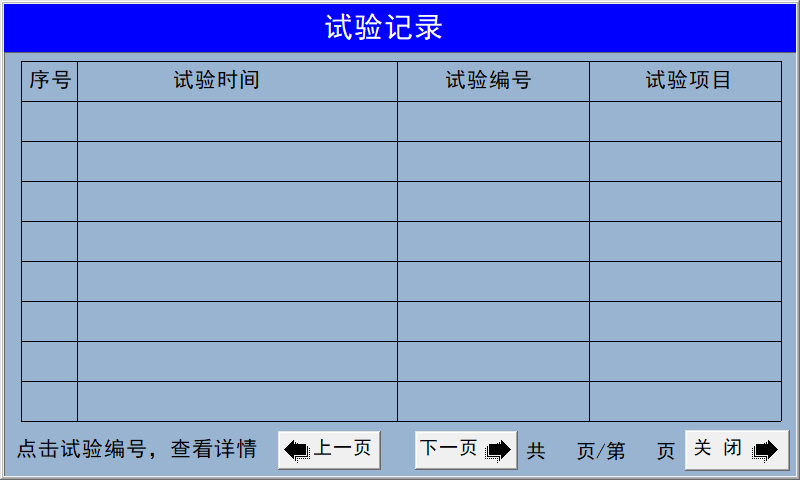
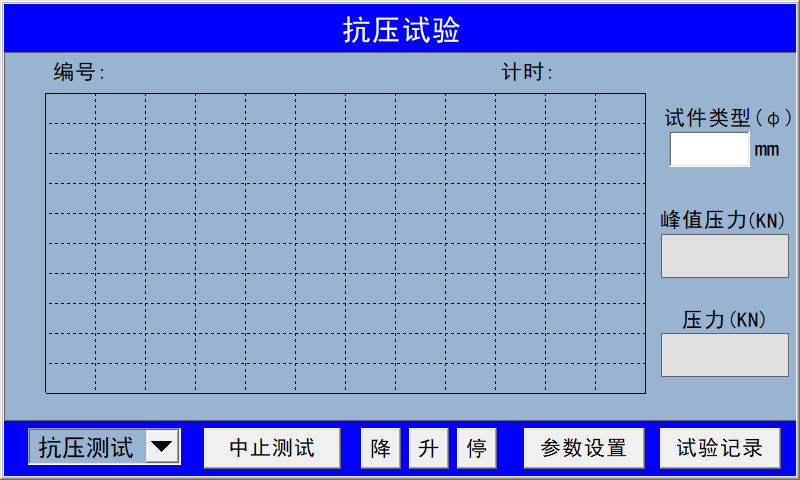 In the upper-right corner, the specimen type is entered based on the diameter of the cylindrical specimen. In the lower-right corner, you’ll find the test records; clicking on a test record allows you to view the original test data. The display includes the test time, test number, and test item. Clicking on the test number will show detailed test records. If you don’t want a particular test record, simply long-press the test item in that row to delete the corresponding test record.
  Parameter Settings Display
 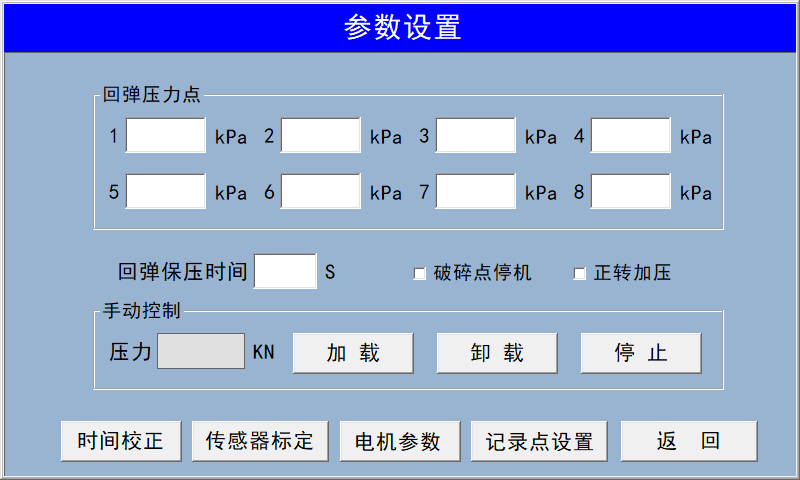 This interface allows you to modify time settings, calibrate sensors, adjust motor parameters, set CBR recording points, and input rebound test pressure points.
 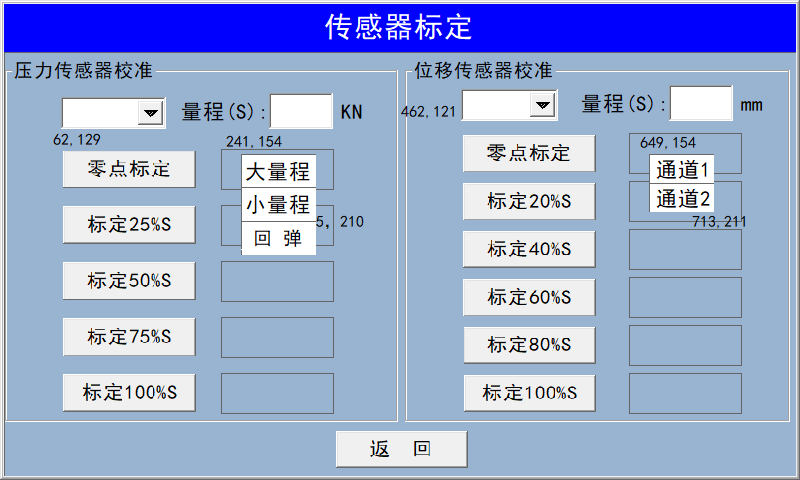 For pressure sensor calibration, clicking the downward arrow in the upper-left corner will bring up three dialog boxes: large range (100 kN), small range (50 kN), and rebound (5 kN). To calibrate a specific sensor, please click on the corresponding range. After selecting the range, manually apply pressure. For displacement sensor calibration, clicking the downward arrow will bring up a dialog box; select Channel 1 or Channel 2 to choose the channel for calibration.
 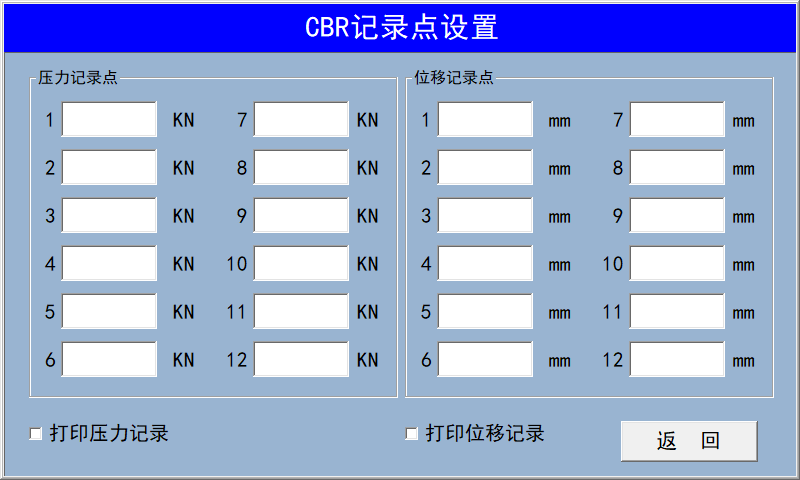 Please enter the recording point manually, or use the default recording point.
 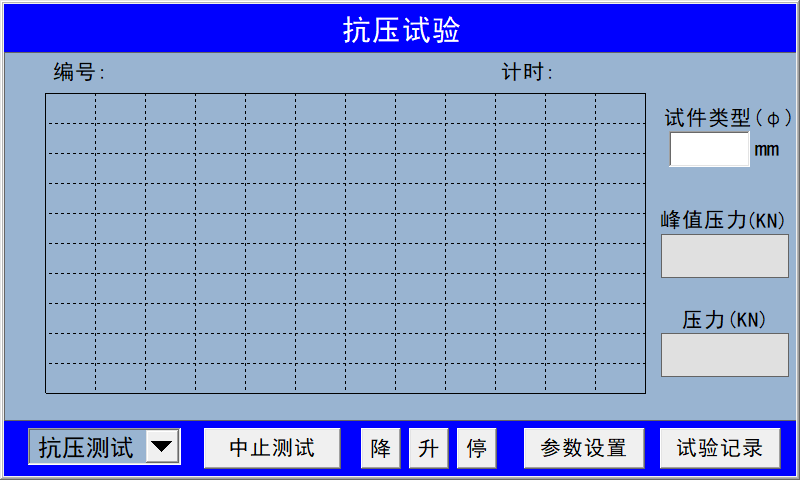 On this interface, select the type of test you wish to perform. Click the downward arrow in the lower-left corner to open a pop-up menu featuring compression tests, CBR tests, and rebound tests. After selecting the desired test type, install the pressure sensor and prepare to start the test.
- The threaded portion of the lead screw disc should be lubricated with an appropriate amount of mechanical oil once per shift to maintain proper lubrication at the mating surfaces.
Company Profile
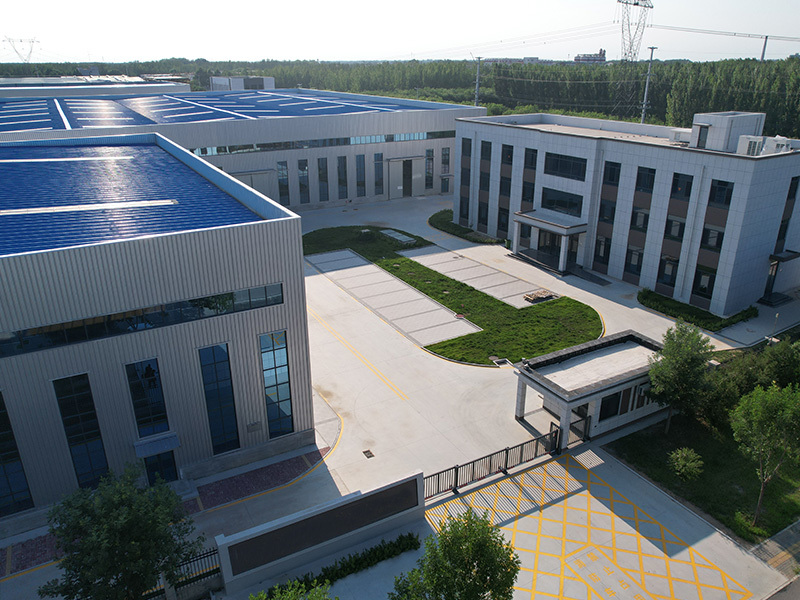
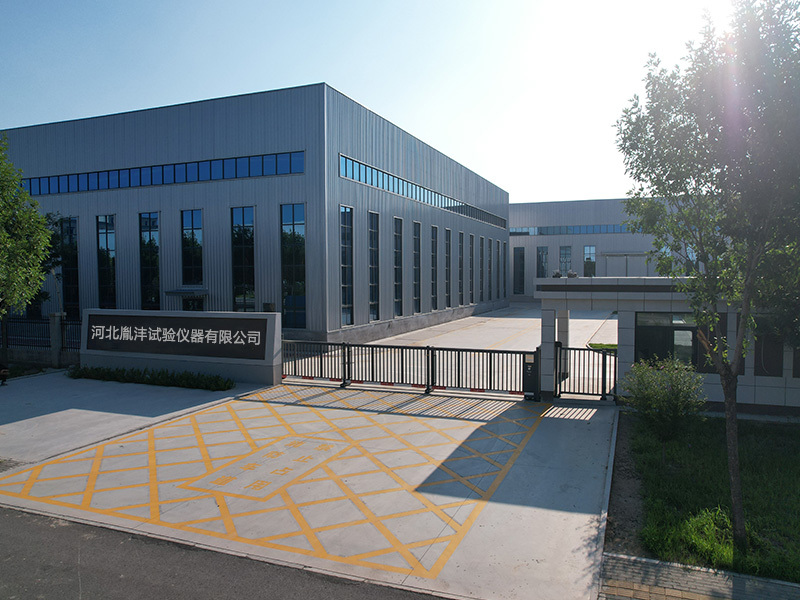
Hebei Yinfeng Experimental Instrument Co., Ltd. is a high-tech enterprise dedicated to the research and development, production, and sales of experimental instruments. The company is headquartered in Hebei Province, relying on the strong industrial foundation and technological innovation resources in the Beijing Tianjin Hebei region. It is committed to providing high-precision and high reliability testing equipment and solutions for material testing, engineering quality control, scientific research experiments and other fields.


Customized Delivery Process
We provide customers with full-process services ranging from pre-sale consultation, customized solution design, equipment installation and commissioning to after-sale technical support.
Online Communication
Provide Custom Drawings
Merchant Quotation
Sign A Contract
Processing And Production
Packaging And Distribution
Confirm Receipt Of Goods
Successful Transaction
TL127-20C Type Pavement Material Strength Testing Instrument
If you need customized products, Contact US !
Share to


Category
Tag list
Request a Quote
We will contact you within one working day. Please pay attention to your email.
Related Products
Content update in progress
Message
We will contact you within one business day. Please note your email address.
Fast navigation
Contact Us
Whatsapp/Tel: +86-15931715356,+86 16631790555
E-mail: qcj@cnhblabequipment.com
Add: Chengnan Industrial Zone, Xian County, Cangzhou City, Hebei Province

Online Message